Connect LiReach to your workflow

Send lead data wherever your business needs it – CRM, automation platform, internal system, or your own application.

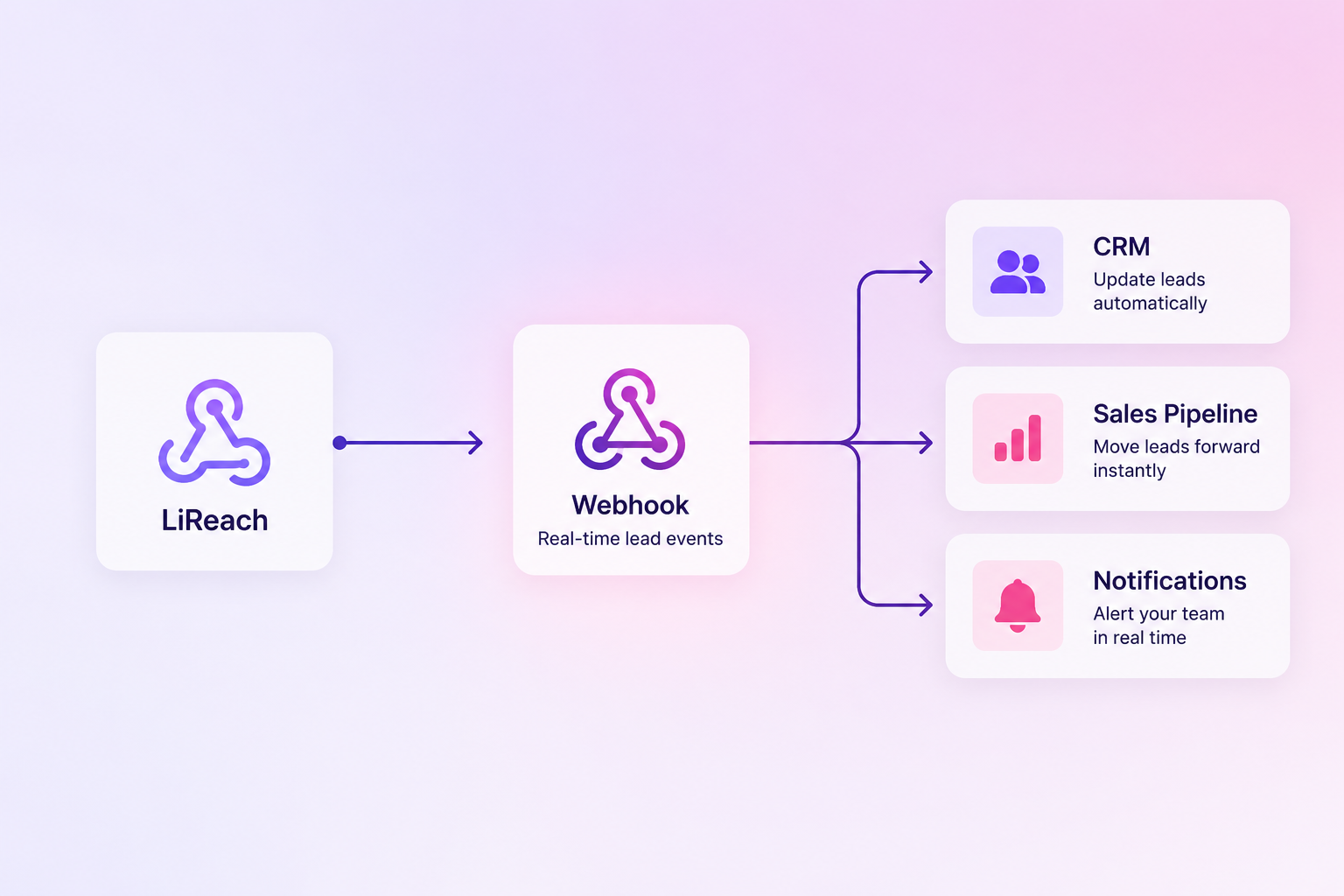
LiReach

Lead outreach, replies, meetings and nurturing events happen inside LiReach.

Your Webhook

Receive structured lead data with a simple HTTP POST request.
Why Webhooks

One connection. Endless possibilities.

LiReach gives you a simple connection layer so your lead data can move into the systems you already use.

Connect anything

If your platform can receive HTTP requests, you can connect it with LiReach.

Automate lead movement

Push lead information into your CRM, database, automation workflow or internal system.

Real-time events

Receive important lead events as they happen instead of relying on manual exports.

Build your workflow

Use LiReach’s structured payload to trigger the next action in your process.
What you can automate

Turn LiReach events into actions.

Choose the events that matter to your workflow and send them where they need to go.

LEAD CONVERTED

Automatically update your CRM
When a lead starts replying to your outreach, send the lead data to your sales system.
LiReach → Webhook → CRM

MEETING FIXED

Move meeting details instantly
Send contact information and meeting details directly into your sales workflow.
LiReach → Webhook → Sales Pipeline

OUTREACH COMPLETED

Trigger the next automation

Start the next process when the LiReach nurturing workflow has been completed.

LiReach → Webhook → Automation
Webhook integration

Everything you need to connect.

Configure your endpoint once and let LiReach deliver the selected lead events.

Method

POST

Content-Type

application/json

Timeout

10 seconds

Retry Policy

2 Retries
EXAMPLE PAYLOAD
JSON

{
“event”: “converted”,
“timestamp”: “2023-10-27T10:00:00Z”,
“lead”: {
“name”: “John Doe”,
“email”: “john@example.com”,
“company_name”: “Example Corp”,
“company_website”: “https://example.com”,
“linkedin_url”: “https://linkedin.com/in/johndoe”,
“meeting_fixed”: true,
“mobile_number”: “+1234567890”,
“meeting_link”: “https://calendly.com/…”
}
}

Works with your stack

Your tools. Your workflow.

LiReach doesn’t require a native integration. If your tool can receive webhooks, you can connect it.

CRMs

Salesforce · HubSpot · Zoho · Pipedrive

Automation

Zapier · Make · n8n · Custom workflows

Productivity

Google Sheets · Slack · Teams · Email systems

Custom systems

Your API · Internal CRM · Database · App
Simple setup

Connect LiReach in minutes.

STEP 01

Create your endpoint

Set up a webhook URL in your CRM, automation platform or application.
STEP 02

Add it to LiReach

Give your webhook a name, enter the URL and select the events you want to receive.
STEP 03

Start automating

LiReach sends the relevant lead data whenever your selected events occur.

Frequently asked questions

A webhook allows LiReach to automatically send lead and outreach event data to another application when a selected event occurs.
You can connect LiReach to any platform or application capable of receiving HTTP POST webhook requests.
LiReach currently provides triggers such as Lead Converted, Meeting Fixed, and Outreach Completed.
Yes. If your CRM supports receiving webhook requests, you can send LiReach lead data directly to it or route the data through an automation platform.
Yes. Use a webhook endpoint provided by your automation platform to receive LiReach events.
The payload can contain lead information such as name, email, company, website, LinkedIn URL, mobile number, meeting information and event details.

Ready to Scale Your Outreach?

Join hundreds of high-growth teams using LIReach to automate their pipeline and close more deals.