How AI Handles LinkedIn Conversations Until a Meeting Is Booked
Getting a LinkedIn prospect to reply is only the beginning.
The real challenge starts after the reply.
A prospect may ask:
“How does it work?”
Then:
“What does it cost?”
Or:
“Can you send me some details?”
Or they may simply say:
“Sounds interesting. Tell me more.”
At this point, traditional LinkedIn automation usually stops.
The automation sent the message. The prospect replied. Now someone from the sales team has to manually take over.
And if your team is managing hundreds of conversations, this can quickly become difficult.
Replies can be delayed.
Context can be lost.
Follow-ups can be forgotten.
Hot prospects can go cold.
LiReach approaches this differently with its AI Auto-Reply Agent.
Instead of stopping when a prospect responds, LiReach can continue the conversation, understand the prospect’s response, provide relevant answers, handle the next step, and help move the conversation toward a meeting.
The idea is simple:
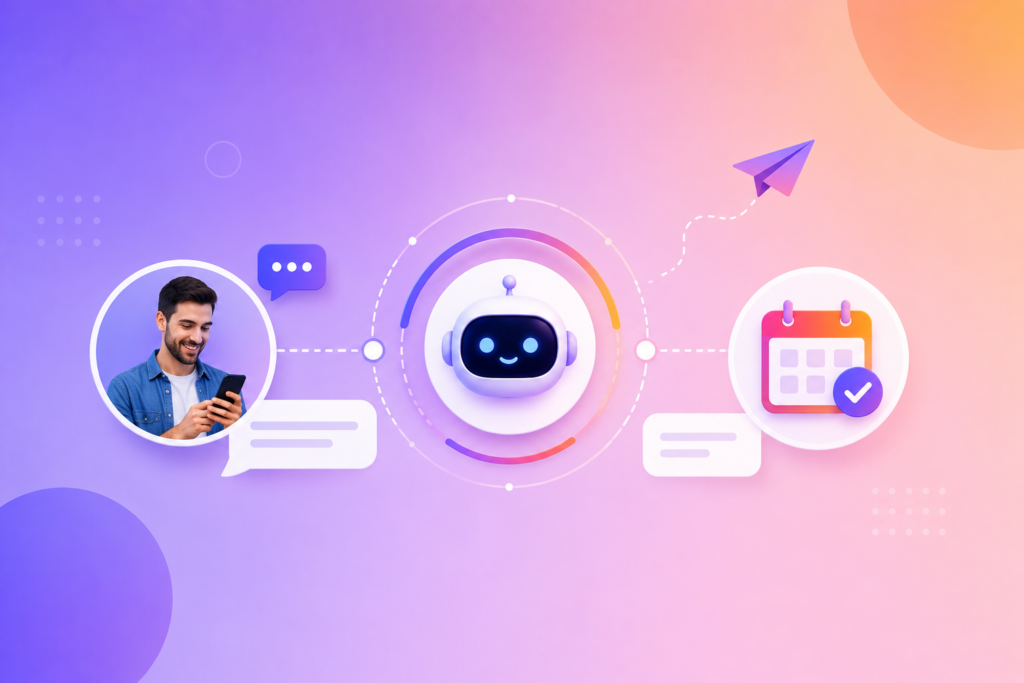
Start the conversation → Understand the reply → Respond intelligently → Qualify interest → Continue the conversation → Move toward a meeting
Why Getting a Reply Isn’t Enough
Imagine your LinkedIn campaign generates 50 replies.
That’s a great result.
But now imagine your sales team needs to manually respond to all 50 conversations.
Some prospects ask questions.
Some want more information.
Some are interested but not ready.
Some ask about pricing.
Some don’t understand what your product does.
Some immediately ask for a demo.
And some simply say:
“Interesting.”
Every conversation is different.
This is where the difficulty of scaling LinkedIn outreach appears.
Lead generation can be automated.
But what happens after someone replies?
That’s where LiReach’s Auto-Reply Agent comes into the workflow.
What Is the LiReach Auto-Reply Agent?
The Auto-Reply Agent is designed to handle LinkedIn conversations after a prospect responds.
Instead of treating every response as the same, the AI analyzes the conversation and determines what the prospect is communicating.
It can use the available context from:
- The prospect’s profile
- The prospect’s company
- Previous messages
- Your outreach sequence
- Your ICP
- Your company information
- Your product or service
- Your preferred communication style
- The prospect’s latest response
The AI then uses this context to generate an appropriate reply.
This means the conversation doesn’t have to follow a rigid script.
It can adapt based on what the prospect actually says.
From Automated Outreach to Automated Conversations
Traditional LinkedIn automation often follows a simple structure:
Send Message → Wait → Send Follow-Up → Send Follow-Up
But real conversations don’t work like that.
A prospect might respond after the first message.
Another might respond after the second.
Someone might ask a question.
Someone else might raise an objection.
Another prospect might immediately ask for a meeting.
So LiReach moves beyond message automation and focuses on conversation automation.
The workflow becomes:
Outreach → Reply → Understand → Respond → Qualify → Continue → Meeting
The important difference is that the next action can depend on the prospect’s response.
How LiReach Understands a Prospect’s Reply
Consider a simple response:
“Sounds interesting. How exactly does it work?”
A basic automation might respond with another generic template.
LiReach’s AI can understand that the prospect is showing curiosity and interest.
The appropriate response should therefore explain the product rather than immediately asking for a meeting.
Now consider:
“I’m interested. Can we have a quick call next week?”
That’s a completely different situation.
The prospect has already expressed meeting intent.
The conversation can therefore move toward the meeting stage.
The AI doesn’t need to treat both responses the same.
The AI Uses the Entire Conversation as Context
One of the most important parts of AI conversation handling is context.
Suppose your first message says:
“I noticed your team is expanding its outbound sales function.”
The prospect replies:
“Yes, we’re actually hiring three SDRs right now.”
The AI shouldn’t forget what you originally discussed.
It can use the previous conversation and the new information together.
For example, the next response could naturally acknowledge the hiring activity and connect it to your product.
This creates a conversation that feels connected instead of a series of unrelated automated messages.
The AI Also Understands Your Business
To have a useful conversation, the AI needs to understand what you’re selling.
LiReach can use information about your company, product, service, positioning, and value proposition to understand how your solution can help the prospect.
This allows the Auto-Reply Agent to answer questions in the context of your actual offering.
For example, if a prospect asks:
“What exactly do you help with?”
The AI can explain your solution based on the information you’ve provided.
The objective is not to make the AI invent answers.
The objective is to give it enough business context to communicate your actual offering consistently.
Your Messaging Style Matters
The AI shouldn’t sound completely different from you.
That’s why your communication style is important.
LiReach’s personalization system can use your preferred writing style and sample messages as context.
You can provide sample messages or sequences that demonstrate how you normally communicate.
The AI can learn patterns such as:
- Short or long messages
- Formal or casual tone
- Direct or conversational language
- How you start conversations
- How you ask questions
- How you explain your product
- How you handle follow-ups
So the Auto-Reply Agent isn’t simply trying to sound like an AI.
It’s trying to communicate in a style aligned with your outreach.
Handling Common Prospect Questions
Once a prospect replies, the conversation can move in many directions.
For example:
“How does it work?”
The AI can explain the relevant part of your product.
“How much does it cost?”
The AI can respond based on the pricing information and instructions you’ve provided.
“Can you send me more information?”
The AI can provide the appropriate next step.
“Do you work with SaaS companies?”
The AI can explain whether your solution is relevant to their type of business.
“I’m interested.”
The AI can continue the conversation and determine the appropriate next step.
“Can we schedule a call?”
The conversation can move toward meeting conversion.
The important part is that the response is based on the actual question, rather than simply triggering the next message in a fixed sequence.
AI Can Help Handle Objections
Not every interested prospect immediately says:
“Yes, let’s book a meeting.”
Some prospects have concerns.
For example:
“We’re already using another tool.”
Or:
“We’re not looking for this right now.”
Or:
“We don’t have a big enough sales team.”
Or:
“I’d need to understand the ROI first.”
These responses require context.
A rigid automation may not know what to say.
An AI conversation agent can analyze the response and determine whether there is still a relevant path forward.
The goal isn’t to argue with the prospect.
It’s to understand the concern and provide a useful response.
Sometimes the right response is to continue the conversation.
Sometimes it’s to answer the question.
Sometimes it’s to leave the prospect alone.
And sometimes it’s to move toward a meeting.
Qualification Happens During the Conversation
A prospect may look like a perfect lead based on their LinkedIn profile.
But the conversation can reveal something different.
For example:
ICP Fit: High
But during the conversation, the prospect says:
“We’re not planning to invest in this for another year.”
That changes the situation.
Another prospect might say:
“We’re actively looking for a solution this month.”
Now the urgency is much higher.
This means conversation data can provide another layer of lead intelligence.
LiReach can use the interaction to help understand:
- Interest level
- Business need
- Timing
- Questions
- Potential objections
- Meeting intent
- Overall conversation context
So qualification isn’t only about the prospect’s profile.
It can also happen through the conversation itself.
From Interested Prospect to Meeting
The ultimate goal of most B2B LinkedIn campaigns isn’t simply getting replies.
It’s creating sales conversations and meetings.
That’s why the Auto-Reply Agent is designed to help move qualified conversations toward a meeting.
The process can look like:
Prospect replies
↓
AI understands the response
↓
AI answers the question
↓
AI identifies interest
↓
AI continues the conversation
↓
Prospect shows meeting intent
↓
Meeting conversion
This creates a bridge between your automated lead generation and your actual sales pipeline.
Example: From First Reply to Meeting
Imagine you’re selling a B2B lead-generation platform.
Your initial LinkedIn message says:
“Hey Rahul, noticed your team is growing its outbound sales function. Curious—are you currently using LinkedIn as part of your prospecting process?”
Rahul replies:
“Yes, but most of it is still manual.”
The Auto-Reply Agent understands the context.
Instead of sending a generic follow-up, it can respond with something like:
“That makes sense. That’s actually where we help most—automating the repetitive prospecting work while keeping the targeting and personalization relevant. How are you currently managing the process?”
Rahul replies:
“We’re using a couple of tools, but the personalization isn’t great.”
Now the AI has learned something important.
There is a potential pain point.
The conversation can continue around that problem.
Eventually Rahul says:
“This sounds interesting. Happy to see a demo.”
Now the conversation has reached a meeting-ready stage.
The entire journey could happen without a salesperson needing to manually respond to every message.
AI Doesn’t Have to Force a Meeting
A good conversation agent should not turn every reply into:
“Would you like to book a meeting?”
That can make the interaction feel robotic.
The purpose of the Auto-Reply Agent is to understand where the conversation is and move it forward naturally.
Sometimes the right next step is:
Answer a question.
Sometimes:
Ask a qualification question.
Sometimes:
Explain a use case.
Sometimes:
Address an objection.
And when the prospect is ready:
Move toward a meeting.
This is an important difference between conversation automation and message automation.
Conversation Context + ICP = Better Qualification
LiReach already uses ICP information when discovering and qualifying leads.
The conversation adds another layer.
Imagine a prospect matches your ICP:
Industry: B2B SaaS
Company Size: 100 employees
Role: VP Sales
Location: US
That’s a strong fit.
Then the prospect replies:
“We’re actually evaluating solutions for outbound automation this quarter.”
Now you have two important pieces of information:
ICP Fit + Active Interest
That’s much stronger than either piece of information alone.
The conversation can therefore help identify prospects who aren’t just a good theoretical fit, but may have a relevant need right now.
AI Conversation Handling at Scale
Imagine generating:
500 qualified LinkedIn leads
If only 10% respond, that’s:
50 conversations.
If each conversation requires 5–10 manual responses, your sales team could quickly spend hours handling messages.
Now imagine the campaign generates:
2,000 leads
with:
200 conversations.
Manual conversation management becomes even harder.
This is where AI can provide leverage.
Instead of requiring a salesperson to manually respond to every basic question, the Auto-Reply Agent can handle suitable conversations automatically.
Your sales team can then focus more of its time on:
- High-value prospects
- Complex conversations
- Negotiations
- Product discussions
- Meetings
- Closing opportunities
When Should a Human Take Over?
AI doesn’t need to replace your sales team.
It can help your sales team decide when human involvement matters most.
For example, a conversation can be escalated when:
- The prospect requests a meeting
- The prospect asks a complex question
- The prospect wants a custom proposal
- The prospect raises a sensitive objection
- The prospect shows strong buying intent
- The conversation requires human judgment
This creates a useful division of work:
AI handles repetitive conversations.
Humans handle important conversations.
The Complete LiReach Conversation Workflow
The process can be understood in several stages.
1. Discover
Find prospects through manual searches, triggers, or AI Lead Scanners.
2. Qualify
Match the lead against your ICP.
3. Personalize
Research the prospect and company and create relevant outreach.
4. Start the Conversation
Send the initial LinkedIn message.
5. Listen
Monitor the prospect’s response.
6. Understand
AI analyzes what the prospect is asking, saying, or signaling.
7. Respond
The Auto-Reply Agent creates a contextual response.
8. Qualify Through Conversation
Understand interest, need, timing, and intent.
9. Continue
Answer questions, handle relevant objections, and keep the conversation moving.
10. Convert
When the prospect is ready, move the conversation toward a meeting.
The complete system becomes:
Lead → ICP → Personalization → Outreach → Conversation → Qualification → Meeting
Why This Is Different From a Chatbot
A traditional chatbot waits for someone to visit your website.
LiReach’s Auto-Reply Agent works within your LinkedIn outreach workflow.
The conversation starts because your sales process identified and contacted a relevant prospect.
The AI then helps manage what happens after the prospect responds.
That makes the system particularly useful for outbound sales teams.
You’re not waiting for prospects to come to you.
You’re starting targeted conversations and using AI to help manage the conversations at scale.
The Goal Is Not More Automated Messages
Automation by itself isn’t the objective.
You could send thousands of messages automatically and still generate poor results.
The real objective is to create a system where:
The right lead is discovered.
The lead is qualified.
The message is personalized.
The conversation is understood.
The prospect gets a relevant response.
The sales team gets involved at the right time.
The conversation moves toward a meeting when there is genuine interest.
That’s a much more complete sales workflow.
From Lead Generation to Meeting Conversion
LiReach brings multiple AI capabilities together across the sales journey.
AI ICP Builder helps define who you should target.
Lead Discovery helps find relevant prospects.
Lead Scanners help identify opportunities and signals.
AI Qualification helps determine whether a lead fits your ICP.
AI Personalization helps create relevant outreach.
LinkedIn Automation executes the workflow.
Auto-Reply Agent handles conversations after prospects respond.
Together, these components create a continuous journey:
Discover → Qualify → Personalize → Outreach → Converse → Convert
The goal is to reduce the amount of repetitive work required from your sales team while keeping the prospect experience relevant.
Final Thoughts
The hardest part of LinkedIn outreach isn’t always getting someone to reply.
It’s knowing what to do after they reply.
A prospect’s response can open a real sales opportunity—but only if someone responds at the right time, understands the context, answers the right questions, and knows when to move the conversation forward.
That’s what LiReach’s Auto-Reply Agent is designed to help with.
It can understand the conversation, use your business context, follow your communication style, respond to prospects, help qualify their interest, and move relevant conversations toward a meeting.
Instead of:
Send → Wait → Manually Reply
LiReach helps create:
Send → Listen → Understand → Respond → Qualify → Convert
Because the real value of LinkedIn automation isn’t sending more messages.
It’s turning more of the right conversations into real sales opportunities.